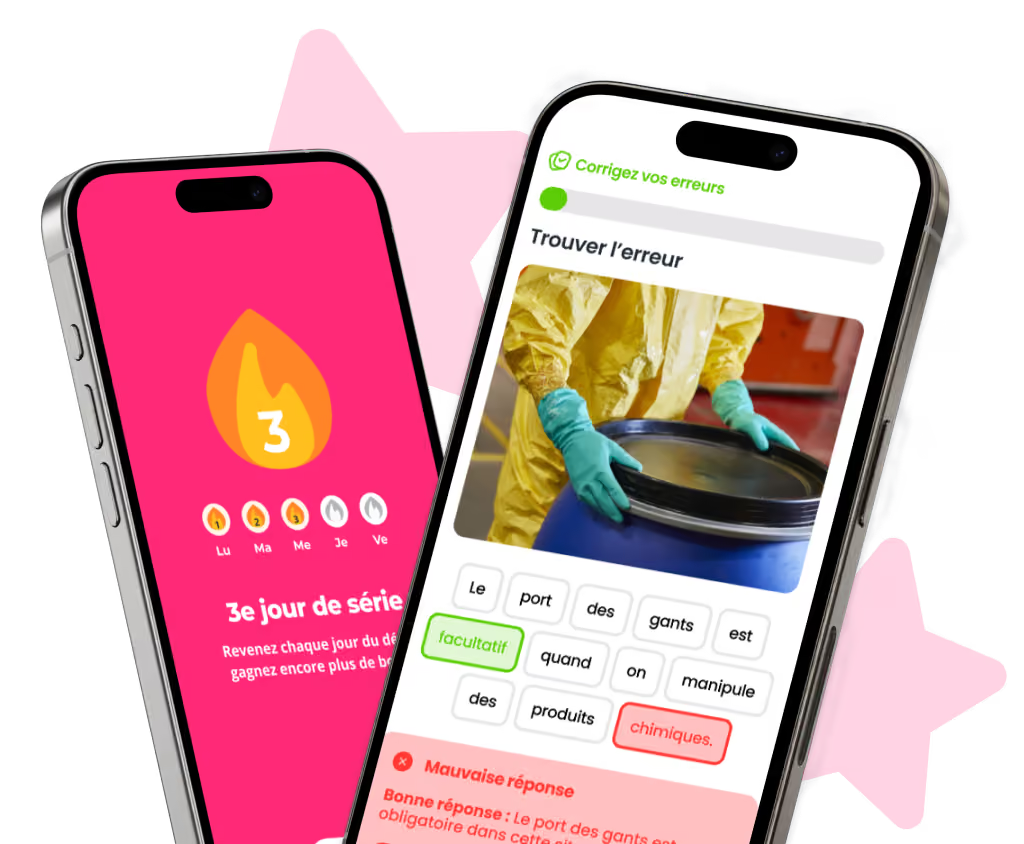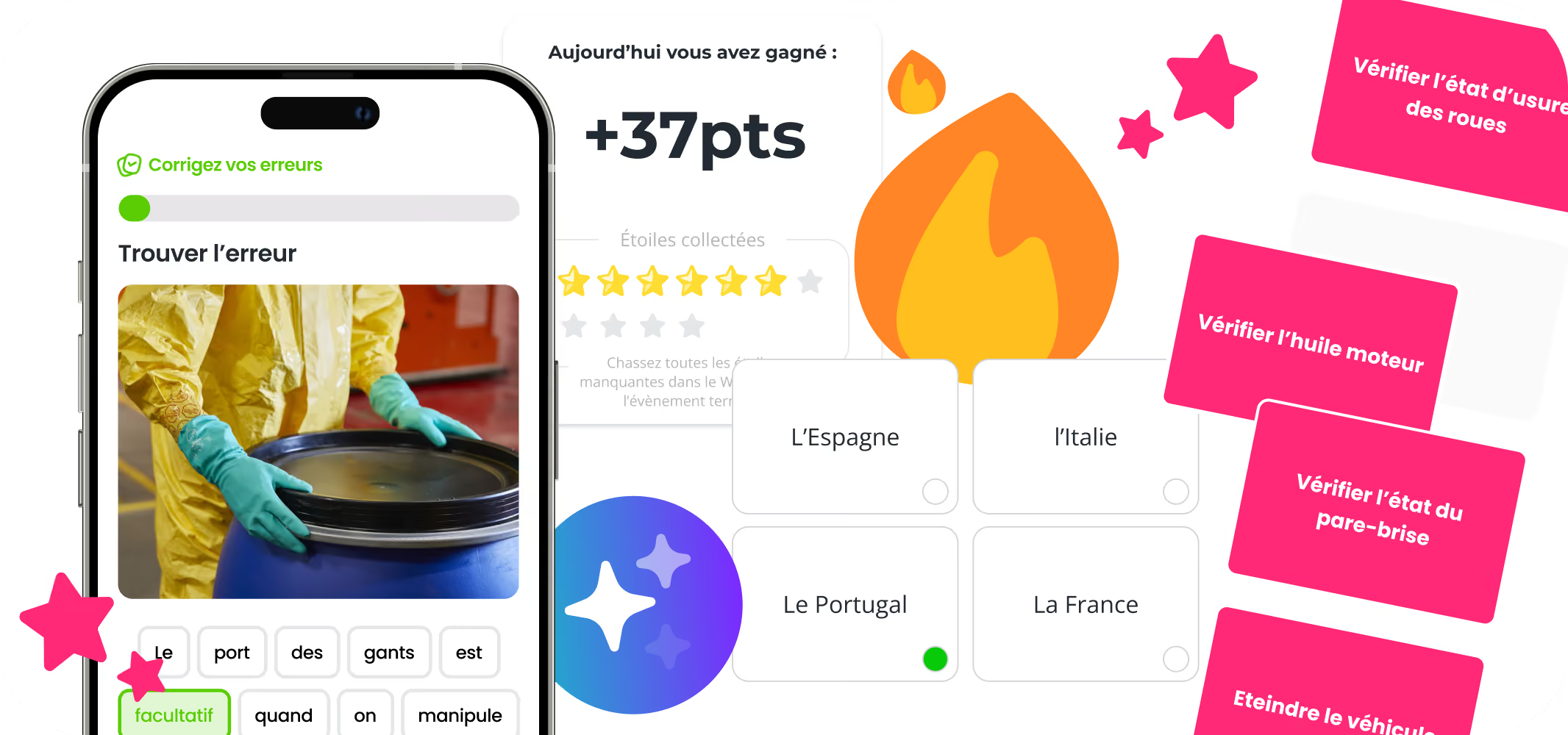











Mobile learning is learning delivered on mobile devices, mainly smartphones and tablets, so that employees can train anytime and anywhere rather than in a classroom or at a desk. In the workplace, it works best for frontline, multi-site and international teams, especially when combined with short microlearning formats.
This guide covers everything you need to know about mobile learning in the workplace, from an academic definition to practical tips: advantages, drawbacks and strategies to apply. It is written for decision-makers and Learning Managers wondering whether mobile learning is the right fit for their teams.
Key takeaways
- UNESCO (2012) defines mobile learning as learning that involves mobile devices to make it possible beyond the constraints of time and location.
- Mobile learning differs from e-learning: e-learning covers any electronic device, mobile learning focuses on learning on the go.
- Reach is its main strength: 97% of US adults aged 18 to 29 and 96% of those aged 30 to 49 own a smartphone (Pew Research Center, 2025).
- Its main drawbacks, connectivity and admin complexity, are addressed by offline access and simple back offices.
- A mobile learning strategy follows 4 steps: strategic goal, learning plan, communication plan, results analysis.
What is mobile learning?
Mobile learning is a way of training on handheld devices that frees learning from the constraints of time and place. It has its own definition, its own devices and its own learning theory, which set it apart from e-learning.
Mobile learning definition
Mobile learning, or mLearning, is learning that involves the use of mobile devices to make it possible beyond the constraints of time and location. This is the definition UNESCO proposed in 2012, and it gained wide acceptance after a decade of earlier definitions by Quinn (2000), Sharples (2002), Alexander (2004) and Wang (2004).
The idea of moving past time and place echoes the definition by Hidayat and Utomo (2014), who state that mobile learning "can be defined as a service that provides general information to learners through electronic media".
With mobile learning, training is no longer tied to the classroom, and learners are no longer bound to a specific place to take courses. Mobile learning was quickly adopted in schools, universities and consumer apps. Today, large organizations are embracing it as an alternative to traditional digital learning.
What counts as a mobile device?
The ADL Initiative (Advanced Distributed Learning) defines handheld computing devices as those that fit easily in a pocket or small bag, turn on instantly, can connect to a network even if they are not always online, and run on their own power.
Laptops are not included because they run the same desktop browsers to deliver content. There is therefore no need to design learning materials differently for them.
Mobile devices, on the other hand, call for different design principles. They involve specific user interactions and offer extra capabilities to enhance learning or performance support.
Factors such as security, durability, connectivity, screen size, input options and battery life must be taken into account. That said, for just-in-time support, a mobile device may be the best option available, and the place it holds in our daily lives can be used to create new learning opportunities.
What is the difference between mobile learning and e-learning?
E-learning, or "electronic learning", means learning on any electronic device, while mobile learning focuses on learning "on the go". The big advantage of mobile learning is that you can do it anytime, anywhere.
Learning becomes possible while you wait for the bus or sit in a doctor's waiting room. In those moments, learning on a desktop or laptop is much harder. That is why we distinguish between e-learning and mobile learning.
Mobile also changes how often people learn. Short sessions on a phone fit into moments that a computer-based course could never use, so learners can accumulate more practice without blocking time in their calendar. To get the most out of your online training, consider making it mobile-friendly. Microlearning is extremely useful here.
Learning theories behind mobile learning
Mobile learning relies mainly on constructivism, a learning theory that mobile platforms support particularly well. mLearning design does not necessarily require new models, but smartphones and the learning theories they support deserve special attention during the design process.
Instructional design models like SPARTED's aim to help designers make objective choices without jumping too early to a particular solution. They also help select the right learning technology and the appropriate instructional strategy.
Constructivism is a learning theory, built on the work of Piaget and Vygotsky, according to which learners "construct" knowledge and meaning through interactions with other people and their environment. It is widely recognized as one of the three main schools of thought in learning theory, alongside cognitivism and behaviorism. In the past, it was underused in learning design because of the limits of the learning environment or technology. Mobile platforms now support it strongly.
In this view, meaning is unique to each individual. New information is absorbed into the learner's mental model and filtered through existing knowledge and experience. Constructivist learning focuses on creating appropriate learning environments, with authentic representations of real challenges and tasks that learners can interact with.
This is why the theory matters for mobile learning: learners can communicate, analyze problems and take part in hands-on activities in a real-world context. They can analyze problems and outcomes in real time without going back to a classroom.
Constructivism is also often equated with informal learning, and the two overlap significantly. The difference is that informal learning gives learners the freedom to choose their activities, while constructivist environments may limit them to a finite range of choices. Learners "discover" the solution to a problem by examining the options built into the system.
What is mobile learning used for?
Mobile learning is used to deliver the right learning resources to the right person, at the right time and in the right place. In doing so, it supports personalized learning.
The real potential of mobile learning does not lie simply in putting learning content on a mobile device. Nor is mobile learning a complete replacement for existing corporate training methods. It is a complementary way to support an employee's digital learning and skill development.
Unlike other learning technologies, mLearning can support formal and informal learning, collaborative or individual. It also adapts to almost any context.
Why does mobile learning matter?
Mobile learning matters because it can be inexpensive compared with traditional learning (and even some forms of online learning), and because its reach is as wide as the number of people who own a mobile device.
Using mobile technology effectively brings us closer than ever to personalized learning. The right learning resources and performance aids reach the right person, at the right time and in the right place.
Mobile learning is built for today's workforce
According to DataReportal's Digital 2025 Global Overview Report, internet users spend an average of 3 hours and 46 minutes a day online on mobile devices. Your employees are unlikely to be the exception. They watch videos, meditate, play games on their phones, and they can take training there too.
Even outside working hours, they will be more inclined to study or watch your training when they can do it on their phone. Mobile learning is also very useful for onboarding new hires and freelancers, since no in-person attendance is required.
Mobile learning increases motivation
If you choose mLearning for your training, chances are your participants' motivation will go up too. Because course material is broken into small chunks, learners complete each part more quickly, and every finished chapter gives them a sense of progress.
On top of that, mobile learning offers a strong social dimension through features such as a Leaderboard, which builds team spirit and motivates your learners to keep learning.
Mobile learning: the latest trends to know
Two trends explain the rise of mobile learning in recent years: the use of personal devices at work, and the spread of microlearning in corporate training.
Personal phones at work and millennials
Smartphone learning apps are part of a major shift in the workplace: BYOD. BYOD stands for "Bring Your Own Device" and means employees work on their personal devices instead of devices provided by their company.
Employees are attached to this habit. In a 2013 Fortinet survey of 3,200 employees in 20 countries, 51% said they would find a way around any policy banning the use of their personal devices, as reported by Fortune. The trend has grown stronger with the arrival of millennials in the workforce.
The favorite personal device used for work is the smartphone. This shows the opportunity mobile learning represents for a company: BYOD means far more learning opportunities.
Microlearning applied to corporate training
Mobile learning makes educational content easier to access thanks to the variety of formats available. Microlearning, for its part, optimizes learner performance through short formats.
Because they complement each other so well, these two digital learning approaches have been gaining ground for several years. Whether in engineering, sales, retail or logistics, they allow organizations to track and concretely improve their teams' learning.
What are the pros and cons of mobile learning at work?
Mobile learning gives employees easy, flexible access to training and gives Learning Managers precise timing and wide reach. Its drawbacks, connectivity and admin experience, depend largely on the platform you choose.
Advantages for employees
Advantage 1: easy access to training
Employees want digital training tools with an experience as polished as their favorite mobile apps. Usability and instructional design have become critical topics because they strongly influence motivation, and therefore skill development.
Mobile learning meets these expectations, in particular by bringing gamification into training.
Advantage 2: flexible training time
Employees often have busy schedules. The time set aside for training is either limited and often neglected, or imposed, long and seen as a burden.
Mobile learning removes both problems because it adapts to the employee's day. Training is accessed directly on a personal or work smartphone whenever the employee has the time and headspace. Combined with microlearning, mobile training takes only a few minutes a day, during a coffee break or a commute.
Employees see it simply: mobile learning is more fun, modern and user-friendly. These are key drivers of better performance, day after day.
Advantages for Learning Managers
Advantage 1: adapting to internal needs
From onboarding to leadership coaching, training is part of increasingly specific processes. Timing and personalization are essential, and mobile learning delivers information at the right time to the right person, in a scheduled and controlled way.
Advantage 2: reaching a large audience
Because training is delivered directly on a personal or work phone, mobile learning helps Learning Managers hit their volume targets. With a mobile learning solution such as SPARTED, it is easy to enroll and engage a large audience in training, in any country and in any language, with better engagement and information retention.
Drawbacks to consider
Drawback 1: offline access
Most of the time, mobile learning requires internet access. However, recent mobile learning apps, such as SPARTED, offer offline access modeled on podcast platforms, so content stays accessible anytime, wherever learners are.
Drawback 2: the admin-side design
For trainers, mobile learning still has some way to go to make the admin experience simple and intuitive. With this in mind, SPARTED has focused on a WYSIWYG (What You See Is What You Get) Back Office designed for course creators.
Which companies should adopt mobile learning?
Mobile learning works for all types of companies, but it brings the most value to multinationals, multi-site networks and organizations with large frontline workforces. Smartphones, as a distribution channel, make training much easier to access for these teams.
Mobile learning for international companies
Does your organization operate nationwide or internationally? Then yes, because mobile learning lets you reach large teams spread across wide territories.
Does your company have a large, multilingual workforce? Then yes, because mobile learning lets you deliver content in several languages, across several regions at the same time.
Mobile learning for field-based companies
Does your company rely on a direct or indirect distribution network? Then yes, because mobile learning lets you engage both your in-house employees and those of your distribution partners, without extra workload.
Does your company depend on a large frontline workforce subject to seasonality or high technical demands? Then yes, because mobile learning makes it easy to share information at the most relevant moment and builds effective on-the-job reflexes.
How do you implement mobile learning in your company?
Implement mobile learning as part of long-term planning of learning needs, in four steps, with four key roles involved from the start.
The 4 key steps of a mobile learning strategy
A mobile learning training plan is built in a clear order:
1) Define a strategic goal and initiatives
2) Build a learning plan based on those initiatives
3) Define a communication plan for the target audience
4) Analyze the results of the mobile learning program
The 4 key people involved in a training strategy
Several people in the company are responsible for the success of a mobile learning strategy, and they should be directly involved in the training plan:
- The Retail Training or Excellence manager decides which training to roll out, based on business and operational needs.
- The Learning project manager helps employees get started with the tool and handles day-to-day management.
- The Marketing project manager makes sure the visuals are relevant and keeps internal communication running smoothly.
- Regional managers and, above all, the entire field team create momentum and encourage frontline employees to download the app.
Mobile learning as a performance driver
Mobile learning drives performance through three levers: access to training, relevant content and data. Training is one of the conditions for business success, and companies build their ability to adapt by making sure their workforce keeps building skills over the long term.
Why is training frontline employees hard?
Frontline training faces four recurring obstacles. A lack of equipment is the first barrier to rolling out training quickly. Employees are even harder to train when direct communication is weak or unclear. Strategic misalignment also hurts the training process. Finally, some operational or sales reflexes require repetition and real-world context.
To meet these challenges, mobile learning stands out as a well-suited performance driver.
Performance through access to training
According to Pew Research Center (2025), 97% of US adults aged 18 to 29 and 96% of those aged 30 to 49 own a smartphone. Information shared via mobile phone therefore reaches almost everyone in these age groups. In addition, Julie Ask, Principal Analyst at Forrester Research, explains that 50% of mobile internet users want their smartphone to meet all their immediate needs. The mobile phone has become everyone's go-to tool, and training needs to use this channel to be effective.
Performance through content
According to CLO Magazine, the content most often delivered through mobile learning falls into three categories: compliance and technical skills, onboarding, and business skills. This reflects the greater relevance of content delivered to frontline teams. Mobile learning makes it possible to tailor information precisely to each learner profile, in line with the company's upskilling needs.
How do you measure mobile learning results?
You measure mobile learning results through the metrics and analytics provided by the platform: participation, completion, scores and progress over time. In marketing as in training, "content is king" goes hand in hand with "data is queen". Learning is tracked continuously, and some platforms now integrate with CRMs or LMSs to cross-reference data and deepen results analysis.
Our tips for optimized mobile learning
Three practices make mobile learning more effective: scenario-based training, storytelling, and communication through field managers.
Tip 1: scenario-based training
Scenario-based training means putting frontline employees in a real situation from their job so they learn in context. It is very effective on mobile, where each scenario can be played in a few minutes.
Tip 2: storytelling in corporate training
Bring storytelling into your training content: your frontline employees will remember it more easily and for longer. Growth Engineering attributes to cognitive psychologist Jerome Bruner the finding that information delivered through a narrative is 22 times easier to remember.
Tip 3: communication through field managers
Ask your area managers to promote exclusive training campaigns tied to participants' scope of work. Their involvement is often what gets frontline employees to play.
Our 2 tips for even more engagement
Two simple habits boost engagement and keep training running smoothly:
- Share your longest training content (videos, PDFs, URLs) directly in the app to get a much higher open rate than with an email.
- Build team momentum by congratulating the employees with the best progress curves, in the app and through more "official" channels (email, social media, and so on).
Frequently asked questions
What is mobile learning in the workplace?
Mobile learning in the workplace is employee training delivered on smartphones and tablets, so people can learn anytime and anywhere. It is especially suited to frontline, field and multi-site teams who don't work at a desk.
What is the difference between mobile learning and e-learning?
E-learning covers any training delivered on an electronic device, including desktop computers. Mobile learning is a subset designed for phones and tablets, with short formats, notifications and offline access built for learning on the go.
What are the disadvantages of mobile learning?
The main drawbacks are dependence on connectivity, small screens that limit long or complex content, and admin tools that can be hard to use. Offline access, short formats and a simple back office reduce most of these limits.
Can mobile learning replace an LMS?
Not always. Mobile learning usually complements an LMS: the LMS manages the training catalog and compliance records, while the mobile app handles day-to-day engagement and reinforcement. Many mobile learning platforms integrate with LMSs to share data.
How long should mobile learning sessions be?
Short. Mobile sessions work best in a few minutes, often in microlearning sequences of 30 seconds to 10 minutes, so they fit into breaks and commutes without interrupting work.


Need a mobile learning solution?
A simple, fast and engaging solution, up and running in under 2 weeks.
Discover our solutionYour mobile learning platform
Microlearning, gamification and analytics in one app. See SPARTED in action with a quick demo.
Book a demoGuide How to measure the ROI of your frontline training
Concrete calculations, proven methods and field examples to justify your training investment to leadership.
Read the guide →Need a mobile learning solution?
The simple, social and gamified solution, up and running in under 2 weeks.
Discover our solution


.jpeg)